1. Introduction
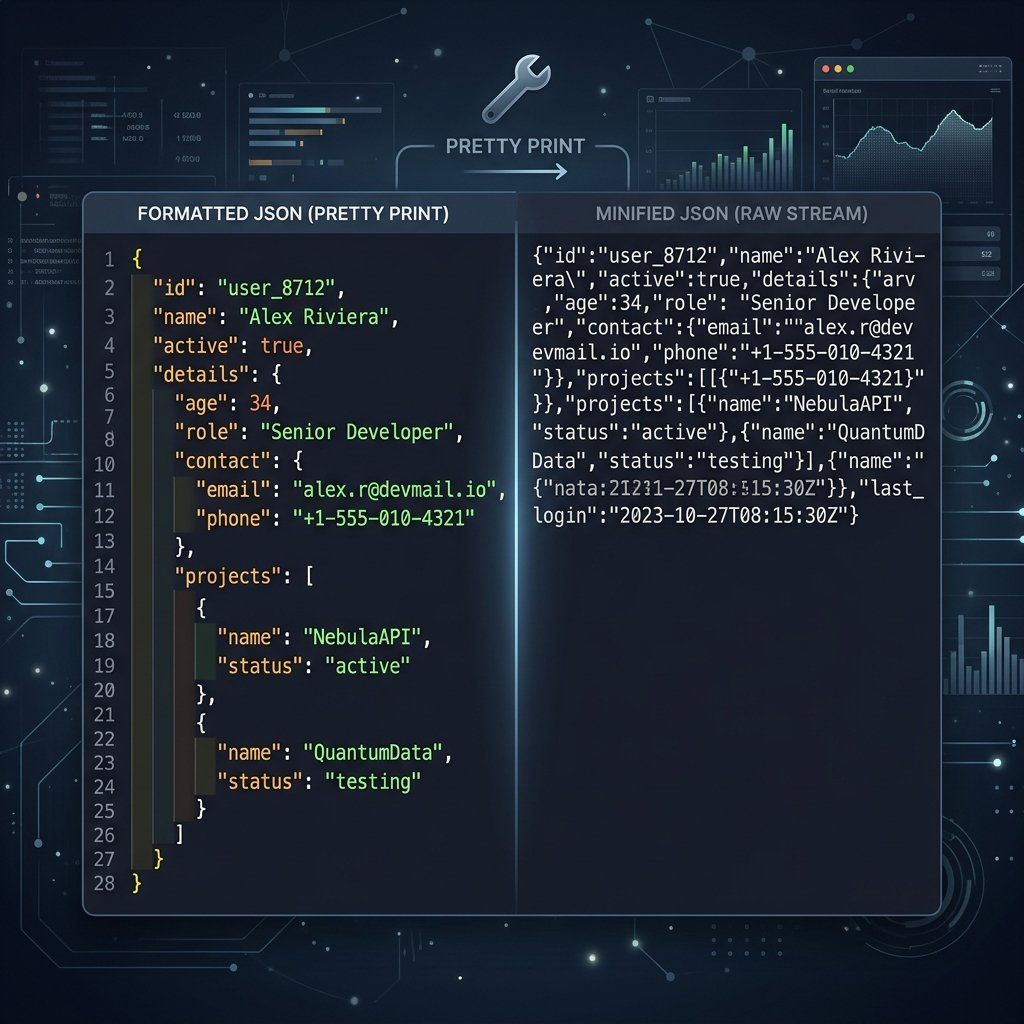
Need to format, clean, or validate raw JSON code? JavaScript Object Notation (JSON) is the standard format for exchanging data across APIs, databases, and application configuration profiles. However, machine-optimized JSON is notoriously hostile to the human eye, stripping away spacing, line breaks, and indents into a single collapsed wall of text.
JSON Pretty Print is the visual formatting process that introduces structured line breaks, hierarchical indentation, and clean whitespace spacing. This allows developers to read, inspect, and debug JSON configurations instantly without changing the underlying data payload.
What is JSON Pretty Printing?
JSON pretty printing is the formatting of collapsed JSON text by adding spaces, newlines, and indentation tabs. It enhances code readability for human developers while keeping the data structure identical for parsers.
This is where JSON Pretty Print comes in. Pretty printing is the process of parsing raw, minified JSON and rebuilding its layout with logical formatting, consistent spacing, and colored syntax highlights. In this comprehensive guide, we explore the inner workings of JSON formatting, examine why it is critical for developer velocity, compare local formatting against cloud formatters, and provide practical examples of how to improve your daily workflows while ensuring data privacy.
Developer Pro-Tip: Insignificant whitespace is completely ignored by JSON engines. This means you can freely format JSON for human readers during development, and minify it to save bandwidth prior to shipping it over the network to production servers.
2. What Is JSON Pretty Print?
JSON Pretty Print refers to the visual restructuring of a raw, minified JSON text stream into a readable, hierarchically aligned format. The underlying data structure, objects, array orders, key names, and values remain unchanged; only the layout configuration (insignificant whitespace characters) is adjusted.
According to the official JSON specification (RFC 8259), four whitespace characters are considered "insignificant" and can be inserted arbitrarily between tokens without affecting the parsed output: the space (U+0020), horizontal tab (U+0009), line feed (U+000A), and carriage return (U+000D).
A pretty printer dynamically adjusts these whitespace tokens by applying specific formatting rules:
- Line Breaks: Placing each key-value pair, opening brace, and closing bracket on a new line to separate distinct logical parameters.
- Indentation: Shifting nested structures (objects inside objects, or arrays inside objects) to the right using a set number of spaces (commonly 2 or 4) or tabs. This clearly indicates parenthood in deep data models.
- Colon and Comma Spacing: Adding a trailing space after colons (e.g.,
"username": "local_dev") and commas to prevent text from crowding together.
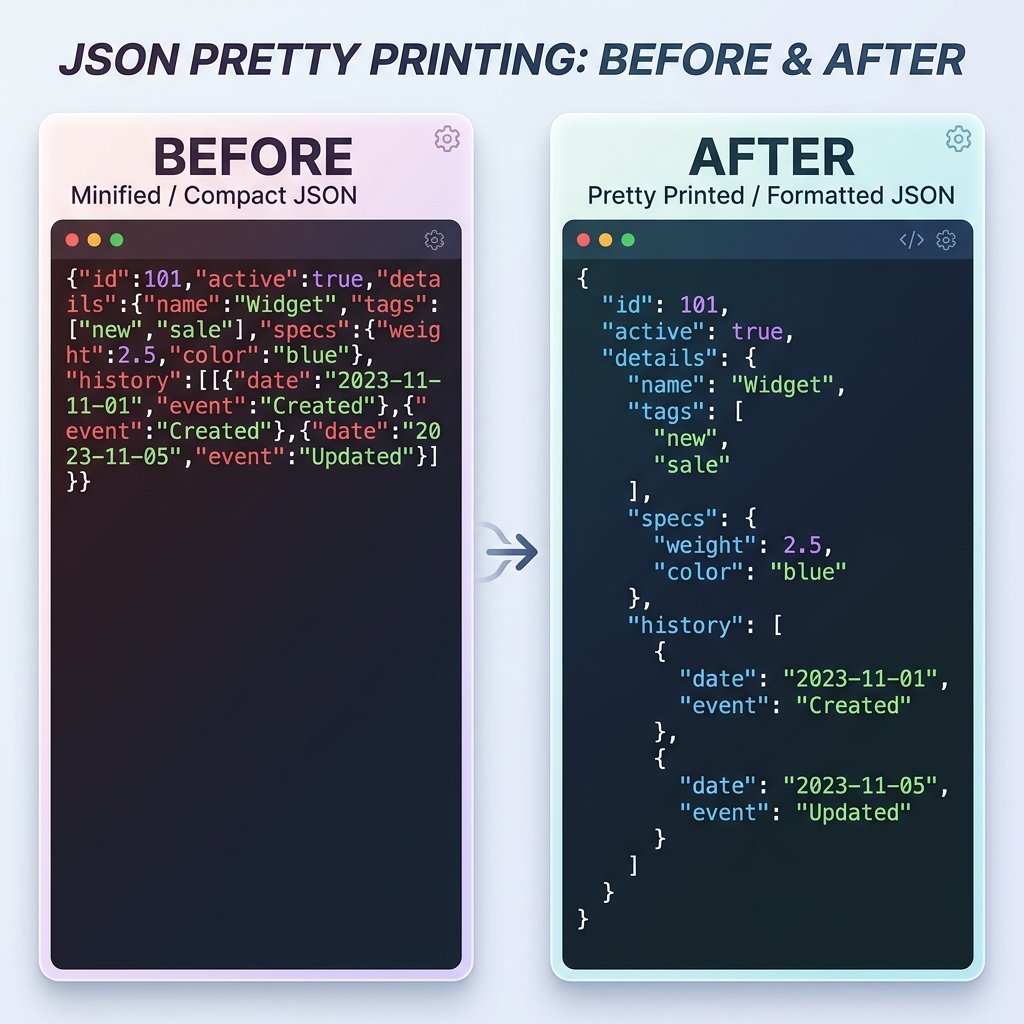
Comparing Raw vs. Pretty-Printed JSON
To see the absolute difference formatting makes, compare this raw minified payload:
{"id":1092,"status":"active","meta":{"version":"2.4","tags":["api","internal"]},"users":[{"name":"Alice","role":"admin"},{"name":"Bob","role":"editor"}]}
With the exact same payload formatted with standard 2-space JSON Pretty Printing:
{
  "id": 1092,
  "status": "active",
  "meta": {
    "version": "2.4",
    "tags": [
      "api",
      "internal"
    ]
  },
  "users": [
    {
      "name": "Alice",
      "role": "admin"
    },
    {
      "name": "Bob",
      "role": "editor"
    }
  ]
}
3. Why Developers Use Pretty Printed JSON
Pretty printing is not just a matter of cosmetic preference; it is a critical component of software engineering, testing, and system operation. Here are the primary reasons why engineers rely on formatted JSON:
API Debugging & Inspection
When developing REST APIs or consuming external endpoints, developers need to inspect response payloads to verify that fields contain the expected data. Trying to parse an unformatted JSON response of 50 fields inside a terminal, command-line print, or browser console is slow and error-prone. Pretty printing reveals the exact structure instantly, making missing values or wrong data types obvious.
GraphQL Query & Payload Analysis
GraphQL APIs query specific fields and return custom nested structures. Developers inspect these highly dynamic JSON response trees to confirm that queries are pulling down the exact graph relationships requested, without over-fetching or under-fetching related records.
Configuring Software Systems
Many modern development platforms, command-line utilities, and database managers use JSON for configuration profiles (e.g., tsconfig.json, package.json, and application settings). Manual edits of these settings are common during configuration adjustments. Without formatting and alignment, editing nested structures is highly likely to result in mismatched brackets, breaking the startup sequence of the software.
Analyzing Log files
Structured logging applications (like Winston, Bunyan, or Logstash) write application diagnostics as single-line JSON records. While this is perfect for log indexing services like Elasticsearch, it is unreadable for system administrators inspecting application dumps. Formatting tools allow DevOps engineers to take raw logs and quickly diagnose service panics.
Code Reviews & Git Diffs
Version control systems compare differences line-by-line. If a configuration file is stored in a minified format, changing a single value modifies the entire single line, making the git diff look like the entire file was replaced. Storing config files as pretty-printed JSON ensures clean diff reports and keeps code reviews focused on the exact keys updated.
4. How Pretty Printing Works
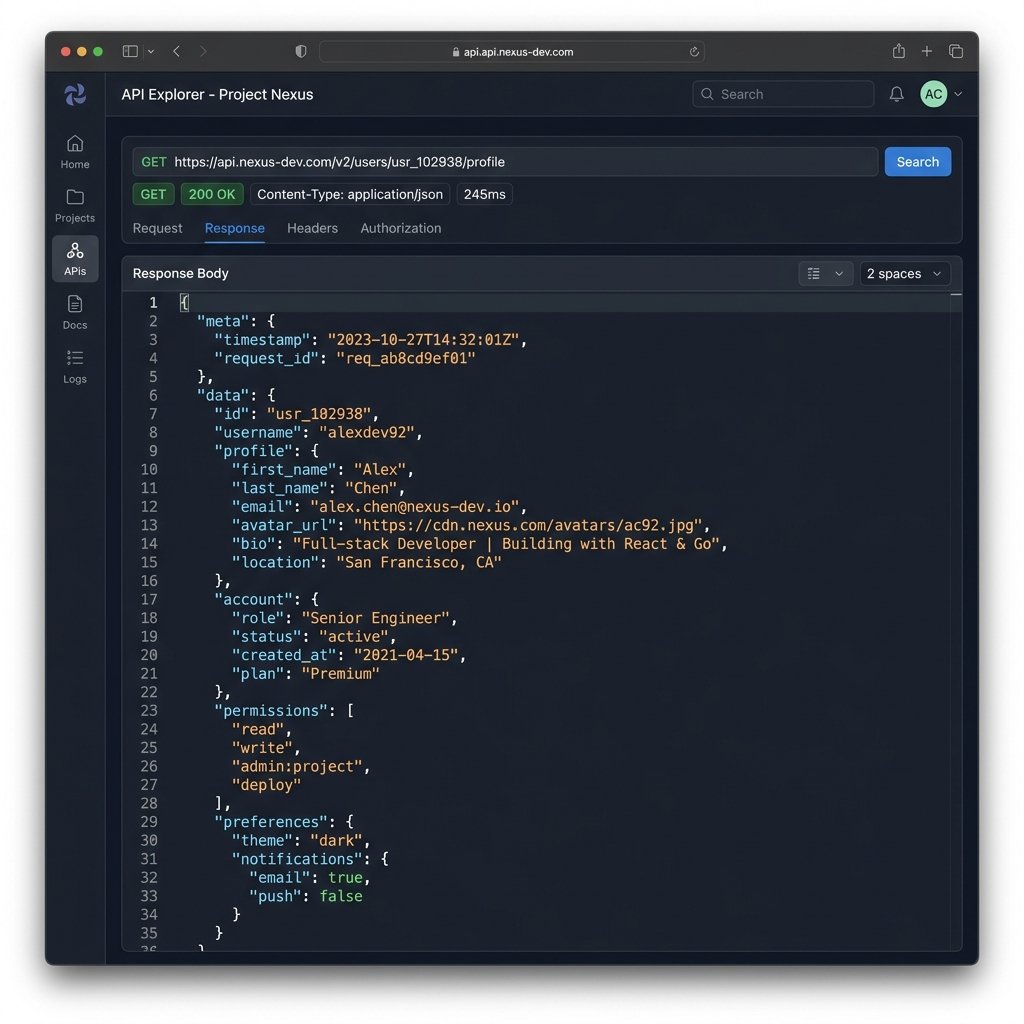
While pretty printing may look like a simple search-and-replace operation on strings, a robust formatter executes a multi-stage validation and compilation sequence to ensure data integrity:
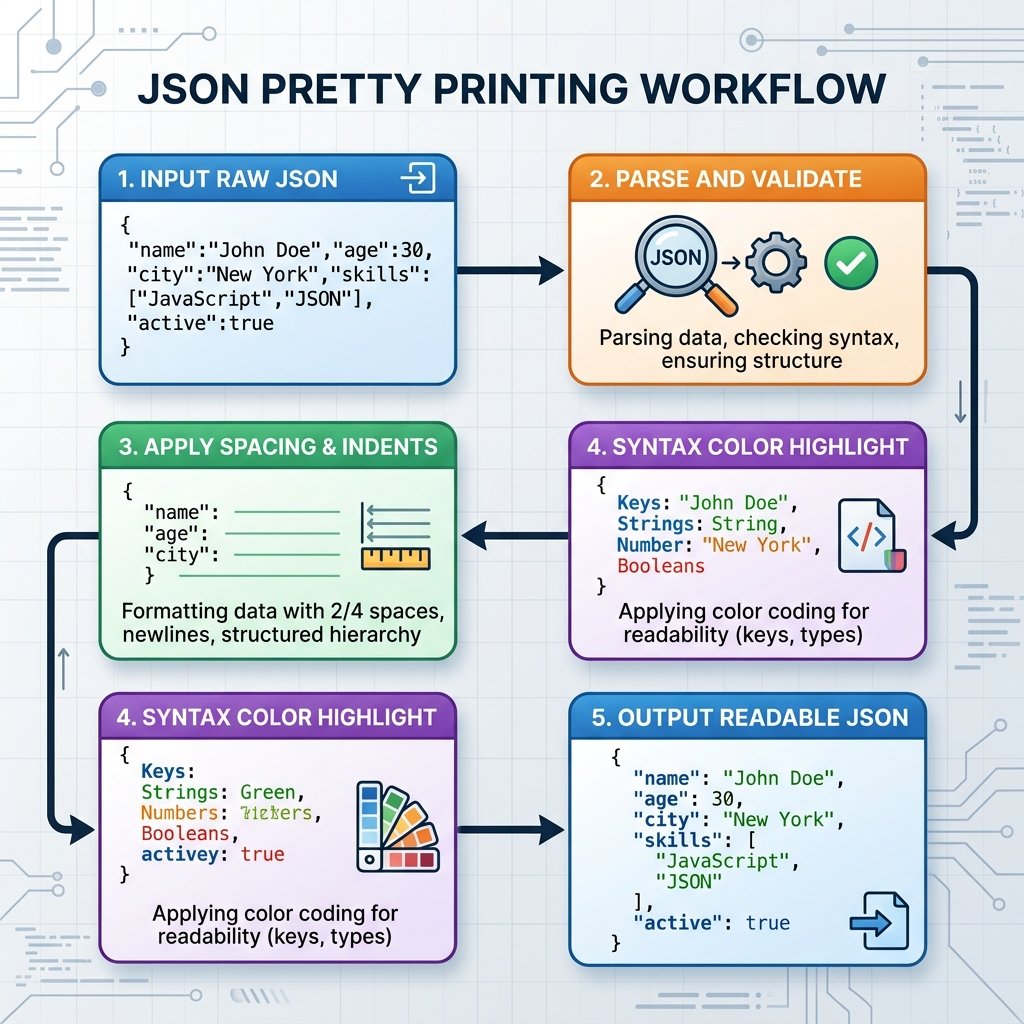
- Lexical Analysis: The formatter's tokenizer scans the input characters, stripping out meaningless whitespace and grouping streams into distinct tokens (strings, numbers, booleans, nulls, colons, commas, braces, and brackets).
- Syntax Validation: The tokens are evaluated against the formal grammar of RFC 8259. If a token is out of place (such as a string missing double quotes or an unclosed array), the validation pass fails, throwing a precise parsing exception. Check out our guide on JSON Formatter vs JSON Validator to see how validation helps debug these issues.
- AST Compilation: A successful parse (which is how a JSON parser builds objects in memory) yields an Abstract Syntax Tree (AST) representing the hierarchy. In JavaScript, this is accomplished natively via the
JSON.parse()method. - Beautification Assembly: The formatter walks the AST, compiling a new string. It inserts indentation whitespace characters at each level of the tree and appends newline breaks at object properties and array values. In native JS development, this is handled by
JSON.stringify(object, null, indentSpaces). - Syntax Highlighting: Premium formatters tokenize the final output and wrap elements (keys, strings, numbers, booleans, and nulls) in HTML tags with CSS classes. This displays them in different colors (e.g. orange for keys, green for strings, blue for numbers) to make visual scans effortless.
5. JSON Pretty Print vs JSON Minification
Formatting and minification are exact opposites. Developers use formatting to make code readable during design and testing stages, and minification to compress code during network transit. Understanding when and where to use each is crucial for web performance. Read our detailed comparison in JSON Beautifier vs JSON Minifier and JSON Minifier vs JSON Formatter for deep performance insights.
| Feature / Metric | JSON Pretty Print | JSON Minified |
|---|---|---|
| Primary Purpose | Human readability, configuration management, and visual debugging. | Optimizing bandwidth and maximizing data compression for machine parsers. |
| Insignificant Whitespace | Added systematically (new lines, tab/space indentations, spaces after colons). | Completely stripped out (zero tabs, spaces, or line breaks). |
| File Size | Larger (30% to 50% increase due to indentation bytes). | Minimal (compact byte-budget representation). |
| Bandwidth Impact | Higher data transfer volumes; bad for high-frequency mobile APIs. | Lower data volumes; crucial for snappy web performance. |
| Ideal Environment | Development sandboxes, API responses in testing, and local logs. | Production APIs, database storage layers, and network responses. |
| Readability | Highly structured and easily scanned at first glance. | Compact single line, requiring formatting to read. |
| Debugging | Syntax issues and wrong values are immediately visible. | Difficult to isolate errors; stack traces point to a single massive line. |
6. JSON Pretty Print vs JSON Beautifier
A common source of confusion for junior engineers is distinguishing between "Pretty Print", "Beautifier", and "Formatter" tools. The short answer is: they are the same thing.
These terms are used interchangeably across developer tools, command-line manuals, and online platforms. However, they carry slightly different connotations depending on context:
- JSON Pretty Print: This term originated in command-line utilities and language compilers (like Python's
pprintmodule or native API parameters). It refers specifically to rendering structured data cleanly on terminal screens or standard output. - JSON Beautifier: Typically used for web-based UI tools. The name is borrowed from code style linters (like Prettier or JS Beautify) that clean up raw code for editing.
- JSON Formatter: A formal, engineering-focused term. It implies that the tool parses, validates, and rewrites the string strictly according to standardized rules, often offering choices in indent spacing and character encoding.
7. Common Formatting Errors
Because JSON is a strict subset of JavaScript object literals, it does not tolerate slight syntax deviations. If the source payload contains errors, formatters will fail to parse the stream and throw validation failures. Correcting these errors requires understanding the exact rules of JSON syntax. For a deep dive into resolving syntax issues, check out How to Validate JSON: Common Errors and Best Practices and JSON Escape Characters Explained.
1. Double Quotes vs. Single Quotes
The JSON spec explicitly requires double quotes (") for all key names and string values. Single quotes (') or missing quotes around keys are invalid and will crash the parser.
// ❌ Invalid JSON
{
  'username': 'john_doe',
  token: 'xyz123'
}

// 🟢 Correct JSON
{
  "username": "john_doe",
  "token": "xyz123"
}
2. Trailing Commas
Unlike JavaScript, which permits trailing commas on the last item of objects or arrays, JSON strictly forbids them. The last element in any scope must not have a trailing comma.
// ❌ Invalid JSON
{
  "role": "admin",
  "permissions": ["read", "write"],
}

// 🟢 Correct JSON
{
  "role": "admin",
  "permissions": ["read", "write"]
}
3. Escaping Special Characters
Special characters inside string values—such as double quotes, backslashes, control characters, or newlines—must be properly escaped using a backslash. Unescaped quotes or line breaks inside strings will corrupt the parsing stream.
// ❌ Invalid JSON
{
  "description": "He said, "Hello" on a new
line."
}

// 🟢 Correct JSON
{
  "description": "He said, \"Hello\" on a new\nline."
}
4. Leading Zeros in Numbers
JSON numbers cannot have leading zeros (e.g., 05 is invalid, it must be represented as 5). Additionally, decimal points must be followed by at least one digit.
// ❌ Invalid JSON
{
  "code": 082,
  "percentage": 12.
}

// 🟢 Correct JSON
{
  "code": 82,
  "percentage": 12.0
}
8. Browser-Based vs Cloud Formatters
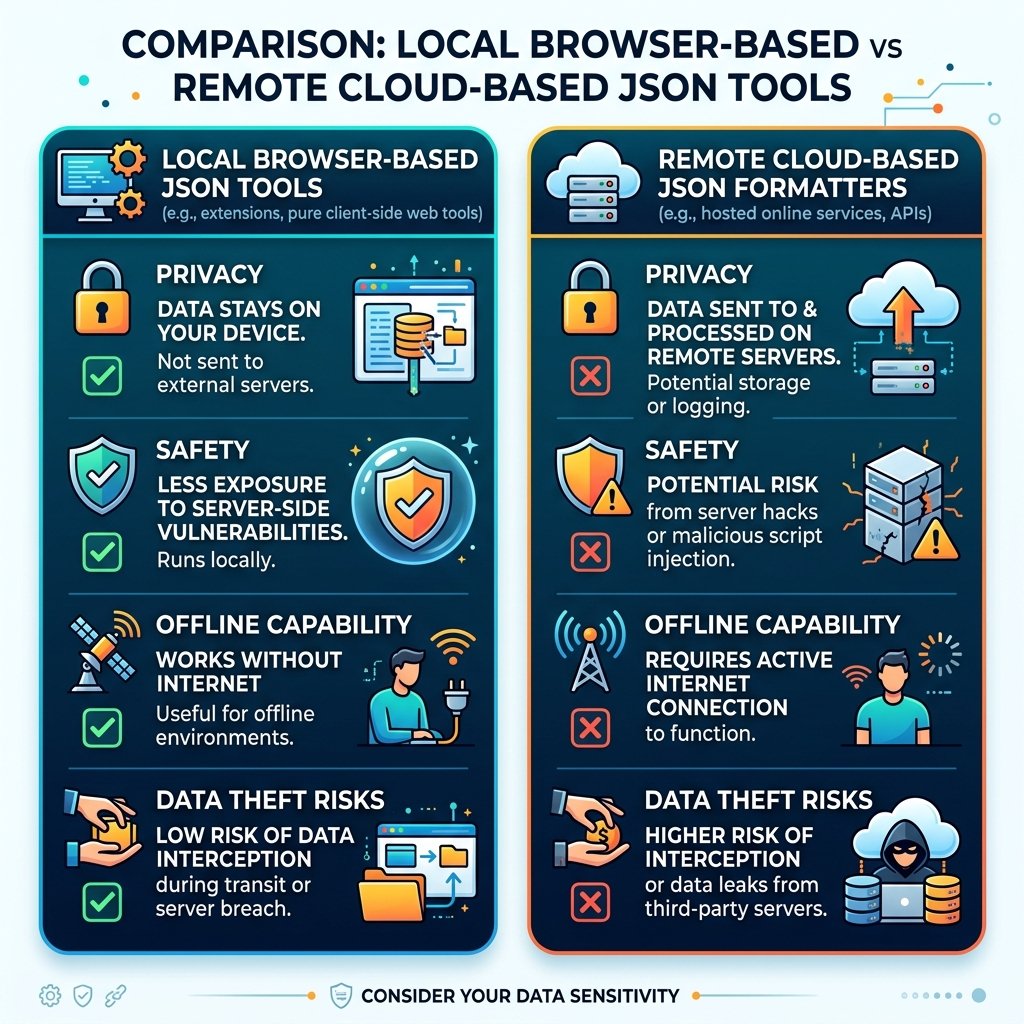
Developers routinely format JSON payloads containing sensitive business records, customer credentials, system environment configurations, and security tokens. In this scenario, selecting the right formatting tool can either protect your company or expose it to catastrophic data leaks. We cover this security comparison extensively in Browser-Based Tools vs Cloud Tools.
Online formatters fall into two distinct architectures: Cloud-Based Formatters and Browser-Based (Client-Side) Formatters.
| Security & Performance Metric | Browser-Based (GetLocalTools) | Cloud-Based Formatters |
|---|---|---|
| Data Privacy & Security | Absolute. Data remains in browser memory; it is never transmitted over the internet. | High Risk. Data is sent to remote servers; logs can leak private keys and user logs. |
| Network Dependency | None. Works completely offline once loaded. | Mandatory. Requires internet connection to process queries. |
| Execution Speed | Instant. Runs locally on your device's core processor. | Laggy. Bound by network latency and server response load. |
| Third-Party Tracking | Zero. No servers logging requests or tracking input payloads. | Common. May track queries, sell analytics, or cache logs. |
⚠️ Warning for Security Compliance: Uploading proprietary business configs, active JWT tokens, or client PII databases to cloud formatters violates GDPR, SOC2, and HIPAA regulations. Always verify that your formatting tools run strictly on the client-side.
9. Formatting Best Practices
To maximize code clarity and maintain team productivity, adopt these standard formatting patterns across your projects:
- Standardize Indentation Spacing: Establish a unified spacing policy for your team. Use 2 spaces for web application development and dense files, or 4 spaces for system-level configurations. Avoid mixing tabs and spaces in the same codebase to prevent line-wrapping alignment bugs in IDEs.
- Integrate Pre-Commit Hooks: Prevent unformatted configurations from reaching your repository. Use linting tools like Prettier or ESLint paired with Husky hooks to automatically validate and format JSON files on every git commit.
- Verify UTF-8 Encoding: JSON strings must be encoded in UTF-8. Ensure your IDE and text editors default to UTF-8 without Byte Order Mark (BOM) signatures to avoid parsing crashes on different platforms.
- Validate Before Writing: Always pass your JSON through a validation parser before writing to configuration records. A single syntax bug can crash production applications. For manual edits, run it through our secure local validation tool.
- Separate API Concerns: Serve minified JSON from your backend API endpoints to optimize network speeds. If developers need to debug, they can easily pretty print response payloads on their client machines using browser tools or network inspection filters.
10. Real-World Examples
Below are properly structured JSON configuration payloads representing real-world use cases, showing different data structures, arrays, objects, and types:
1. REST API Response Payload
A typical API response demonstrating nested objects, numeric types, strings, arrays, booleans, and nulls:
{
  "transaction_id": "tx_99817265",
  "amount_usd": 128.50,
  "successful": true,
  "customer": {
    "account_id": 90812,
    "email": "customer@example.com",
    "verified": true
  },
  "items": [
    {
      "sku": "prod-102",
      "quantity": 2,
      "price_usd": 50.00
    },
    {
      "sku": "prod-204",
      "quantity": 1,
      "price_usd": 28.50
    }
  ],
  "discounts": null
}
2. Node.js Package Configuration (package.json)
Standard package configuration file showing array structures and key-value mapping objects:
{
  "name": "local-tools-project",
  "version": "1.3.0",
  "private": true,
  "dependencies": {
    "lucide": "^0.300.0",
    "pdf-lib": "^1.17.1"
  },
  "devDependencies": {
    "eslint": "^8.56.0",
    "prettier": "^3.1.1"
  },
  "keywords": [
    "privacy-first",
    "developer-utilities",
    "json-tools"
  ]
}
3. Multi-Cloud Environment Settings
A dense settings profile showcasing nested properties and configurations:
{
  "environment": "production",
  "database": {
    "host": "local-replica-01.db",
    "port": 5432,
    "max_connections": 100,
    "ssl": {
      "require": true,
      "reject_unauthorized": true
    }
  },
  "security": {
    "allowed_origins": [
      "https://www.getlocaltools.com",
      "https://localtools.com"
    ],
    "token_expiry_seconds": 3600
  }
}
Pretty print JSON in JavaScript
Use JSON.stringify(data, null, 2) for readable output, then validate and inspect with our JSON Formatter. For production payloads, convert the same object to compact output using our JSON Minifier.
JSON pretty print vs minify
Pretty print improves readability for humans, while minification removes whitespace for faster transfer. See the side-by-side breakdown in JSON Minifier vs JSON Formatter.
Common pretty print errors
If formatting fails, the JSON is usually invalid first. Debug malformed quotes, commas, and escapes with JSON Parser Explained and then reformat safely.
11. Frequently Asked Questions
JSON Pretty Print is the layout process of formatting a collapsed, single-line JSON text block by introducing line breaks, space indents, and clean whitespace. It enhances readability for humans while preserving the underlying structure for parsers.
Yes. 'Pretty Print', 'Beautifier', and 'Formatter' are synonyms in the software industry. They all refer to rearranging whitespace elements to improve human readability without altering the structural data payload.
No. Standard JSON formatting only adjusts insignificant whitespaces outside of string literals. The key names, value payloads, array sequences, boolean states, and numeric values remain identical.
No, provided the formatter complies with RFC 8259. However, a formatter requires valid JSON to parse it. If you try to format code that has a syntax error, the parser will fail, and you must validate it first.
Yes, if the tool runs 100% client-side. Local tools like GetLocalTools process your JSON inputs in-memory on your local browser engine. Unlike cloud tools, no data is sent over the network, making it safe for corporate secrets and API tokens.
Yes. Client-side browser formatters can parse and beautify JSON streams of several megabytes instantly. Extremely massive database dumps (above 100MB) are better formatted with command-line streaming tools like jq to prevent browser tabs from freezing.
No. Production environments should transmit minified JSON. Removing unnecessary spaces, tabs, and newlines reduces payload sizes by 30% to 50%, saving bandwidth and improving API performance.
The industry standard is 2 spaces for compact configurations (like web projects and YAML-like tools) or 4 spaces for strict readability. Tabs can also be used depending on team styling guides.
In-memory pretty printing has negligible execution cost on client machines. However, sending pretty-printed JSON payloads over networks increases payload size, leading to slower network transmission times.
Yes. A robust JSON formatter runs a validation pass before modifying layout structures. If there is a parsing error, it highlights the exact line and column containing the syntax mismatch, helping you locate syntax bugs.